From TDN
 |
Asteroids Tutorial
Written for TGB Version: 1.6
Works with: 1.7.x
Overview
Welcome to the TGB Asteroids Tutorial Hub. Click on the icon next to the section description to go to that page. |
This tutorial series is aimed at TGB users with an intermediate level of experience. You should be comfortable using the TGB Editor and be able to read Torquescript, if you wish to have a deeper understanding of how the behaviors used work.
|
 |
Windows
Download the complete game here! Unzip the file and inside the Astral Objects folder, double click on AstralObjects.exe to run. The tutorial series is inspired by this example. All code here is compiled - assets for the tutorial need to be taken from the behavior playground project. |
 |
Tutorial Aspects Covered: Creating a project, basic TGB Editor usage
A pre-built example of a very basic asteroids-like level comes with the behavior playground. If you wish to start from scratch with a new project, this section will show you what files to copy and how to set it up again in the TGB Editor. |
 |
Tutorial Aspects Covered: Scripting, Bug Fixing
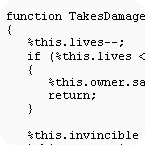
Through testing the basic asteroids-like level included in TGB, a few bugs are discovered. This section covers editing a couple behavior files. Basic knowledge of Torquescript is a prerequisite. |
 |
Tutorial Aspects Covered: GUI Creation via t2dTextObject, Behaviors
Here the asteroids are given a point value and a t2dTextObject scoring system is set up with the help of behaviors. |
 |
Tutorial Aspects Covered: GUI Creation via t2dSceneObject, Behaviors
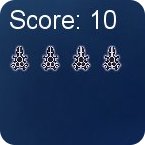
With a scoring system now in place, continue on and add a lives remaining GUI display for the player. Instead of using a text object like in the previous section, an icon based display will be implemented. |
 |
Tutorial Aspects Covered: Script Editing, Behaviors
Improving gameplay becomes the focus again - through a method to slowly increase the difficulty. The "counter" type of behavior is again put to use. |
 |
Tutorial Aspects Covered: GUI Creation via t2dTextObject, Behaviors
Another text based GUI object is created to inform the player of their progress. The behavior used also features some fade in/fade out functionality. |
 |
Tutorial Aspects Covered: Reading and Saving Files, Behaviors
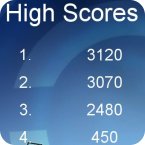
Not content to just display a score, this section covers saving high scores to a text file and displaying them in a table to the player after the game is over. |
 |
Tutorial Aspects Covered: Music and Sound Effects, Scripting
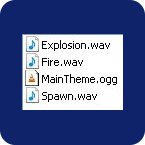
Covering the basics of setting up audio descriptions and profiles via script, music and sound is created. |
 |
Tutorial Aspects Covered: Loading Levels, Buttons, Behaviors
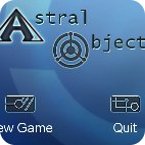
To conclude, the focus shifts to creating a title screen for this game. Starting or quitting the game will be done through behavior enabled buttons. |




